




![图片[1]-[更新] Steinberg Cubase Pro v15.0.10 [WiN, MacOSX](948.0MB+1.24GB+1.6GB)-KK音频资源网](https://www.vst6.com/wp-content/uploads/2025/11/c83940e7f520251105233429.png.webp)
Win:Team R2R | 27 January 2026 | 948.0 MB
Win:P2P (Incl. VR Unlocker) | January 2026 | 1.24 GB
Mac(U2B):P2P | January 2026 | 1.6 GB
Win-R2R 版
安装 Cubase 15 之前
—————————————————————————————————-
安装运行时:
Microsoft Visual C++ 2015-2026 Redistributable (x64)
=> 使用 Google 下载 Microsoft 最新版本。
安装TEAM R2R Network Block Runtime 网络断网工具:
TEAM R2R Network Block Runtime(下载包内已提供)
=> 使用随附工具测试运行时安装。
=> 始终使用最新版本。
安装 TEAM R2R Steinberg Silk 模拟器:
TEAM.R2R.Steinberg.Silk.Emulator.v*.*.*-R2R(下载包内已提供)
=> 使用随附工具测试模拟器安装。
=> 始终使用最新版本。
更改后请重启计算机!
—————————————————————————————————-
安装
—————————————————————————————————-
卸载之前的版本。
挂载 ISO 文件。运行“Cubase15.msi”并进行安装。
如果您已安装“Steinberg Library Manager (SLM)”,请执行以下操作:
=> 运行 SLM。
=> 将包含的“Content”文件夹拖放到 SLM 图形用户界面中。
=> 安装所有组件。完成!
如果您没有安装 SLM,请手动安装。
=> 将“Content”文件夹复制到“%PROGRAMDATA%\Steinberg\”目录。
—————————————————————————————————- TEAM R2R 2026
Win-P2P (Incl. VR Unlocker)版
1. 未安装 Steinber
安装 Cubase 15 之前
—————————————————————————————————-
安装运行时:
Microsoft Visual C++ 2015-2026 Redistributable (x64)
=> 使用 Google 下载 Microsoft 最新版本。
安装 TEAM R2R 网络块运行时。
=> 使用随附工具测试运行时安装。
=> 始终使用最新版本。
安装 TEAM R2R Steinberg Silk 模拟器:
TEAM.R2R.Steinberg.Silk.Emulator.v*.*.*-R2R
=> 使用随附工具测试模拟器安装。
=> 始终使用最新版本。
更改后请重启计算机!
—————————————————————————————————-
安装
—————————————————————————————————-
卸载之前的版本。
挂载 ISO 文件。运行“Cubase15.msi”并进行安装。
如果您已安装“Steinberg Library Manager (SLM)”,请执行以下操作:
=> 运行 SLM。
=> 将包含的“Content”文件夹拖放到 SLM 图形用户界面中。
=> 安装所有组件。完成!
如果您没有安装 SLM,请手动安装。
=> 将“Content”文件夹复制到“%PROGRAMDATA%\Steinberg\”目录。
—————————————————————————————————- TEAM R2R 2026
g Download Assistant 的安装要求:
– Steinberg MediaBay
– Steinberg Activation Manager
– Steinberg Library Manager
2. 安装 Steinberg 产品。
3. 安装“Activation Manager Unlocker b14.exe”
感谢 Team V.R 的贡献。
Mac-P2P版
0. 使用英文
1. 安装
2. 将 K’D 替换为
/Applications/Cubase 15.app/Contents/MacOS/Cubase 15
(使用 show package contents 命令)
3. 运行以下代码进行代码验证,复制并粘贴到终端
4. 尽情享用
鸣谢:@iamdumb
参考代码(粘贴到终端)
function hex() {
echo ”$1” | perl -0777pe ‘s|([0-9a-zA-Z]{2}+(?![^\(]*\)))|\\x${1}|gs’
}
function prep() {
sudo xattr -cr “$1”
sudo xattr -r -d com.apple.quarantine “$1”
sudo codesign –force –sign – “$1”
}
prep “/Applications/Cubase 15.app/Contents/MacOS/Cubase 15”
从好莱坞大片作曲家和公告牌百强单曲制作人,到音乐制作新手,整个音乐制作界都信赖 Cubase。
功能全面
为音乐人提供丰富的尖端工具,轻松完成作曲、录音、编辑和母带处理。
无与伦比的多功能性
从电子节拍到管弦乐编曲,Cubase 的灵活性足以适应任何音乐风格,满足各种风格音乐人的创作需求。
无限的音色可能
Cubase 内置大量高品质 VST 乐器、插件和音色,让您开箱即用,创作出杰作。
轻松打造卓越混音
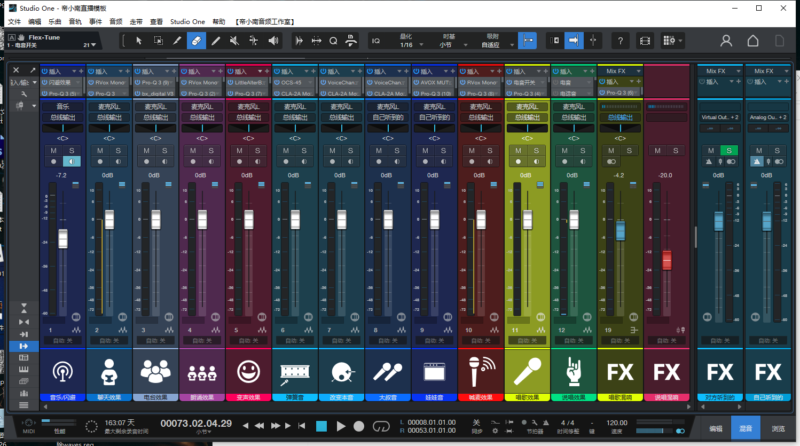
使用 Cubase 的 MixConsole 打造专业混音,它提供可自定义的通道条和高级路由选项,实现简单、优化的控制。
From Hollywood blockbuster composers and Billboard Hot 100 producers right through to keen beginners, the world of music production trusts in Cubase.
All-inclusive feature set
Cubase empowers musicians with a vast array of cutting-edge tools for composing, recording, editing, and mastering music effortlessly.
Unmatched versatility
From electronic beats to orchestral arrangements, Cubase is flexible enough to adapt to any genre, catering to the creative needs of artists of all styles.
Limitless sonic horizons
With an included wealth of high-quality VST instruments, plug-ins and sounds, Cubase lets you create masterpieces straight out of the box.
Mixing excellence made easy
Craft professional mixes using Cubase’s MixConsole, which offers customizable channel strips and advanced routing options for straightforward, optimised control.
1.本站所分享的资源均收集自网络,仅供学习参考,旨在帮助用户了解相关音频知识与技术。所有资源仅用于个人学习用途,使用者在下载后 24 小时内请自觉删除,若需长期使用,请购买正版以支持创作者。
2.本站不承担因使用这些资源所引发的任何法律责任,如出现版权纠纷或其他法律问题,与本站无关。用户在使用资源过程中,应自行确保合法合规。
3.若您发现本站发布的内容侵犯到您的权益,请联系侵权处理邮箱:1280059799@qq.com,我们会在24小时内删除侵权内容,敬请原谅!4.此外,本站部分资源存储依托云盘,若您发现链接失效,请随时联系我们,我们会尽快更新,以便您的学习不受影响。感谢您的理解与配合。5.本站所有资源均不包括远程安装,如小白自己不会安装不建议购买,否则本站不支持退款,远程安装联系客服50一次。








![[14个综合混音插件合集]Zynaptiq Plugin Bundle 2025-01 [WiN](864.83MB)-KK音频资源网](https://www.vst6.com/wp-content/uploads/2020/08/95409a0e3420250401133318.png.webp)
![[标志性饱和度激励剪辑器]Pulsar Modular P44 Magnum v1.1.1 [WiN, MacOSX](11.7MB+49.6MB)-KK音频资源网](https://www.vst6.com/wp-content/uploads/2020/08/9c84ed797b20250401133817.webp)



暂无评论内容